

Getting Started with cURL
A beginner’s guide to making HTTP requests from the terminal
1. What a server is and why we need to talk to it
Server is computer that stores data and sends data when we ask. we talk to get websites, apps and files.
Example : Ordering food from the kitchen the server is the kitchen you are the customer and your request gets a response.
2. What is cURL
curl is command line tool that let’s your computer talk to the servers and get the data from the internet.
we can use it to fetch websites download files or test API’s.
It works with many protocols like HTTP, HTTPS, FTP and many more.
Example;
curl <https://chaicode.com>
This command fetches the webpage from the server and shows it in your terminal.
3. Why programmers need cURL
Programmers use curl to talk to servers directly without browser.
Test API’s and see responses in real time
download files and data quickly
debug requests by checking headers
curl help programmers interact with servers, test apps and debug efficiently
4. Understanding Request and Response with curl
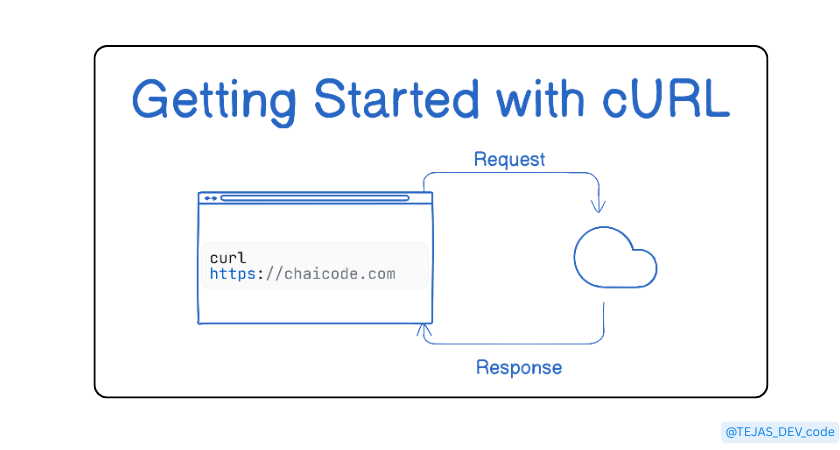
when we use the curl we are basically sending a request to server and receiving a response.
A. Request -
Your Computer asks server for something
Example’
curl <https://chaicode.com>
Here the request is please give me the webpage of the chaicode.com .
B. Response -
Server replies with response.
Response has three main parts:
- Status code : Tells request work or failed.
200 OK - Everything is fine, request sucessed.
404 Not Found - Server couldn’t find what you asked for.
500 Internal Server Error - Something went wrong on the server.
- Headers : Metadata about the response.
Example content type (text/html), server name , cookies.
Tell your computer how to interpret data.
- Data / Body - Actual content which we want.
Example , HTML of website, JSON from API.
Example :
curl -i <https://chaicode.com>
- -i shows both headers and body.
5. GET and POST : The Two Most Important Requests
When we talk to the server we use two main important requests : GET and POST
- GET Request
GET request is used to ask for data from a server.
curl <https://chaicode.com>
Use GET when you want to open website, fetch data from api and read information.
- POST Request
POST request is used to send data to the server.
curl -X POST -d "name=Tejas" <https://chaicode.com>
Use POST when you want to submit the form, send login details.
6. Using cURL to talk to APIs
API is just a server that gives data in a structured format.
Example : get current weather
curl "<https://api.open-meteo.com/v1/forecast?latitude=28.6&longitude=77.2¤t_weather=true>"
It sends request to weather API and server responds with weather data in JSON.
{"latitude":28.625,
"longitude":77.25,
"generationtime_ms":0.054955482482910156,
"utc_offset_seconds":0,
"timezone":"GMT",
"timezone_abbreviation":"GMT",
"elevation":224.0,
"current_weather_units":{"time":"iso8601",
"interval":"seconds",
"temperature":"°C",
"windspeed":"km/h",
"winddirection":"°",
"is_day":"",
"weathercode":"wmo code"
},
"current_weather":
{"time":"2026-01-30T09:15",
"interval":900,
"temperature":18.4,
"windspeed":6.8,
"winddirection":302,
"is_day":1,
"weathercode":3}}
This is exactly how weather websites , mobile weather apps gets their data.
7. Common mistakes beginners make with cURL
- Forgetting to save output
you run
curl <https://chaicode.com>
use -o to save it
curl -o page.html <https://chaicode.com>
- Mixing get and post
Remember this get for reading the data and post for sending the data.
- Not quoting URL’s
special characters break the commands.
wrong
curl <https://api.com?x=1&y=2>
right
curl "<https://api.com?x=1&y=2>"
- Forgetting the method flag
Sending data without the -x POST
wrong
curl -d "name=Tejas" <https://api.com>
right
curl -X POST -d "name=Tejas" <https://api.com>
8. Final Thought
curl may look simple but shows how internet really works. No UI just computer and server talking through request and response.
Once you understand the curl you don’t just use API’s you understand them because behind the scenes they’re all just doing what curl does.