

Inside Git: How It Works and the Role of the .git Folder
A Beginner’s Guide to Git Internals and the .git Folder

1. Why We Needed Git
I asked Piyush sir,
“Sir, why do we actually need Git?”
He said:
“As we saw in the pendrive vs version control example, manual sharing creates problems. Many version control systems exist, but Git is the most widely used one.
The real beginner question is:
Where does Git store everything?
How does it track changes?”
2. The Moment Git Comes Alive (git init)
I asked Hitesh sir how Git starts tracking.
He explained:
“When we run git init, nothing changes visually.
But Git creates a hidden .git folder.
This folder is the brain of Git.
From this moment, Git starts managing your project.”
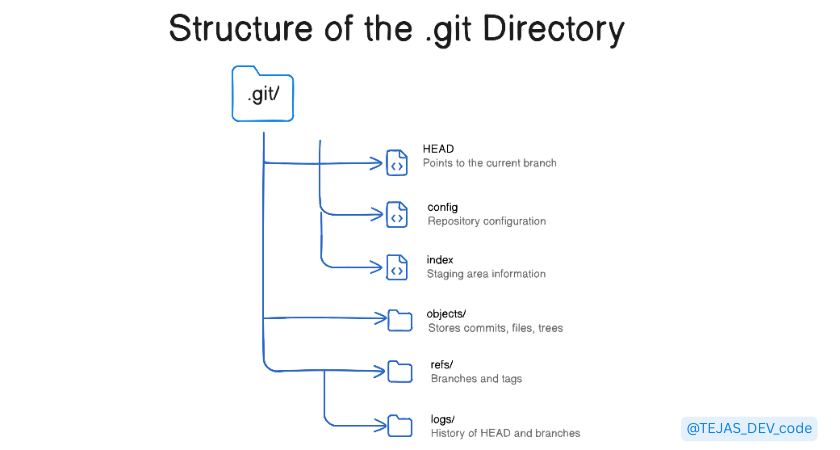
3. What Is the .git Folder
As a beginner, I asked Piyush sir:
What is inside .git?
He replied with an analogy:
“Just like you get a report card after 6 months in Master’ji,.git is Git’s report card system.
It stores everything:
history, commits, branches, and changes.”
If .git is deleted:
Your files remain
Git tracking is lost
Collaboration breaks
Analogy:
Project → What you build
.git→ Your report card
4. Why Git Uses a Hidden Folder
I asked Hitesh sir why .git is hidden.
He said:
“To protect it from accidental edits.
Tracking stays safe.
You don’t touch .git. Git does.”
5. Git Does Not Track Files — It Tracks Screen-shot(Snapshots)
I asked Piyush sir if Git tracks files continuously.
He corrected me:
“Git notices file changes,
but it records them only when you commit.”
Example:
Files change → Git sees it
Commit → Git takes a snapshot
Git doesn’t track line-by-line.
It tracks commit-by-commit.
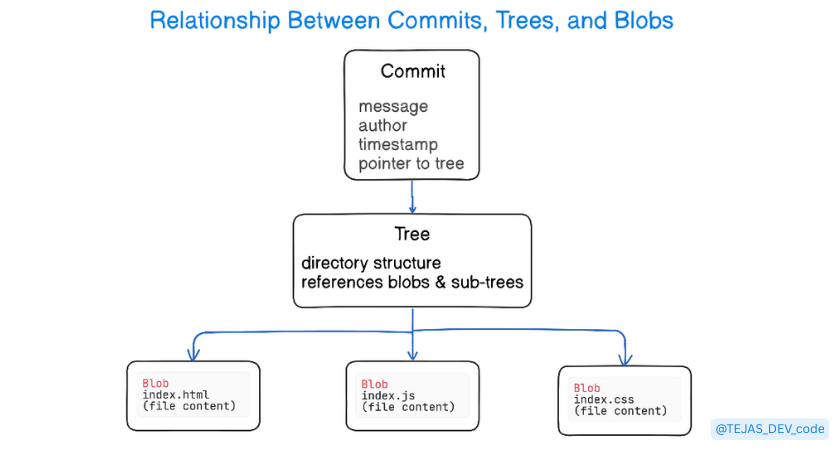
6. Git Objects
Blob → File content
Tree → Folder structure
Commit → Snapshot + message + pointer
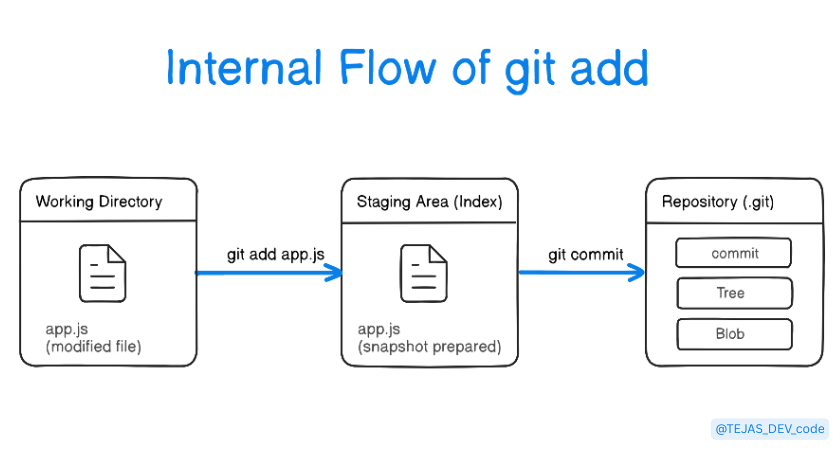
7. What Happens Internally During git add
I asked Hitesh sir what happens internally.
He explained:
Git is already initialized
git add:Creates blob objects
Stores them in
.gitMoves changes to the staging area
No commit yet.
Changes are prepared, not saved.
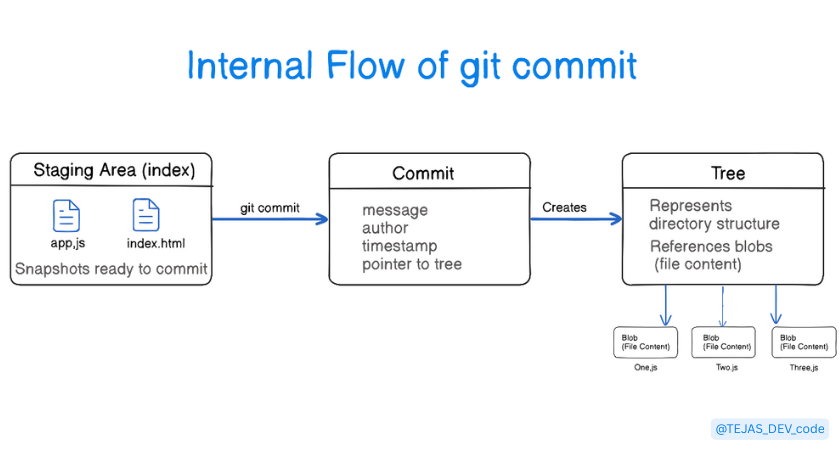
8. What Happens Internally During git commit
When we run git commit:
Git creates a snapshot
A commit object is saved
History is updated
Now Git officially tracks this version.
9. How Git Uses Hashes
Every object has a unique hash
Change content → hash changes
This ensures integrity
“Change the content → identity changes.”
10. Final Thoughts
Git is not magic
Git is a smart snapshot (screenshot) system
.gitis where everything lives
If you understand this,
you don’t need to memorize commands.