

Understanding HTML Tags and Elements
The building blocks of the web, made easy
1. What HTML Really Is
Imagine you want to build a simple house.
Before paint, furniture, or decorations, you first need structure:
walls, rooms, doors, windows.
That structure of a website is called HTML.
HTML = the skeleton of a webpage.
2.What Is an HTML Tag?
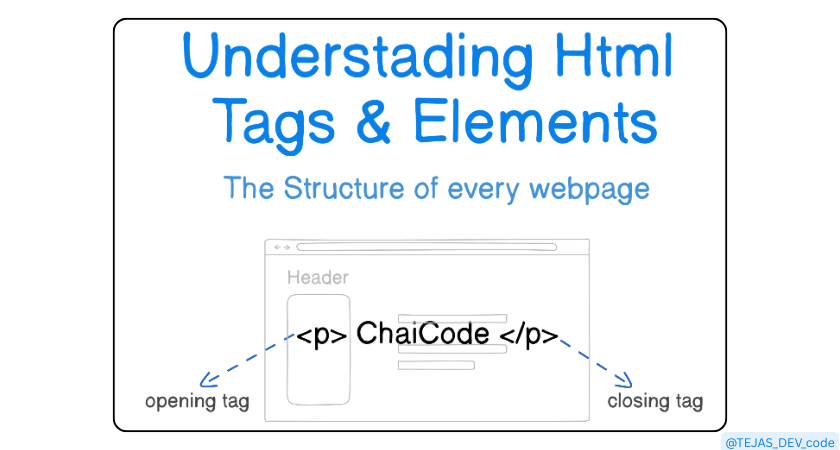
A tag is like a label.
Example:
<p> Tejas </p>
HTML is built like a box.
<p>→ opening tagTejas→ content</p>→ closing tag
3. What Is an HTML Element?
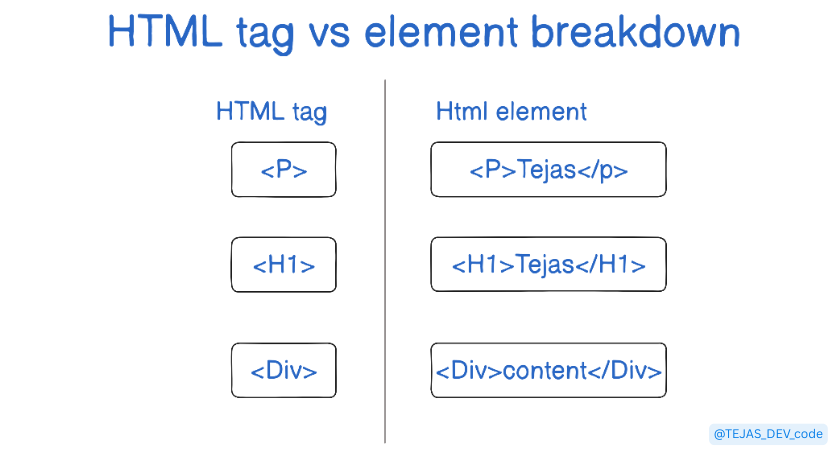
A tag is only the label but element is the whole thing.
So:
<p> Tejas </p>
<p>is a tag</p>is a tag<p>Tejas</p>is an HTML element
4. Self-Closing (Void) Elements
Some elements don’t need closing tags because they don’t hold content.
Example:
<img />
<br />
<input />
5. Block vs Inline Elements
Block elements
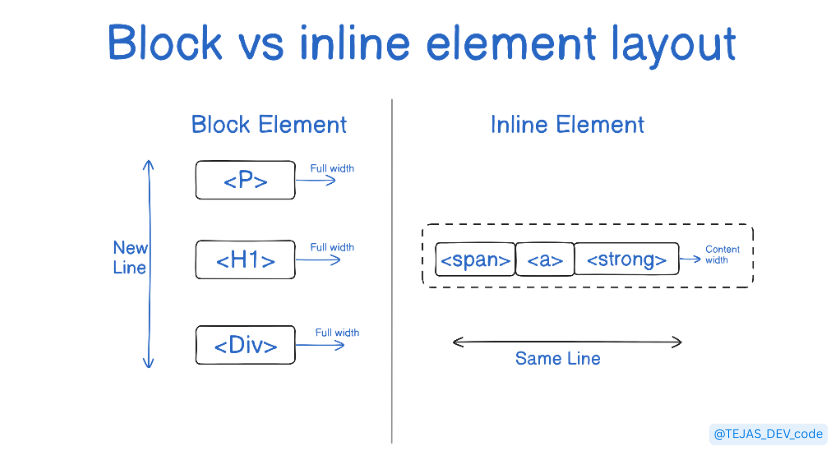
They take full width and start on a new line.
Examples:
<div>
<p>
<h1>
Inline elements
They stay inside a line.
Examples:
<span>
<a>
<strong>
6.Common HTML Tags You’ll Use
You don’t need 100 tags to build websites.
<h1> to <h6>  → headings
<p>          → paragraph
<div>        → box
<span>       → small inline text
<a>          → link
<img>        → image
<button>     → button
These are enough to build 80% of websites.
Pro Tip for Beginners
Open any website
Right-click → Inspect
You will see everything is just HTML boxes inside boxes.
7. Final thought
HTML gives structure and meaning to a webpage.
Once you understand tags and elements, building websites becomes simple and logical one element at a time.